
The Alfresco workspace in the browser
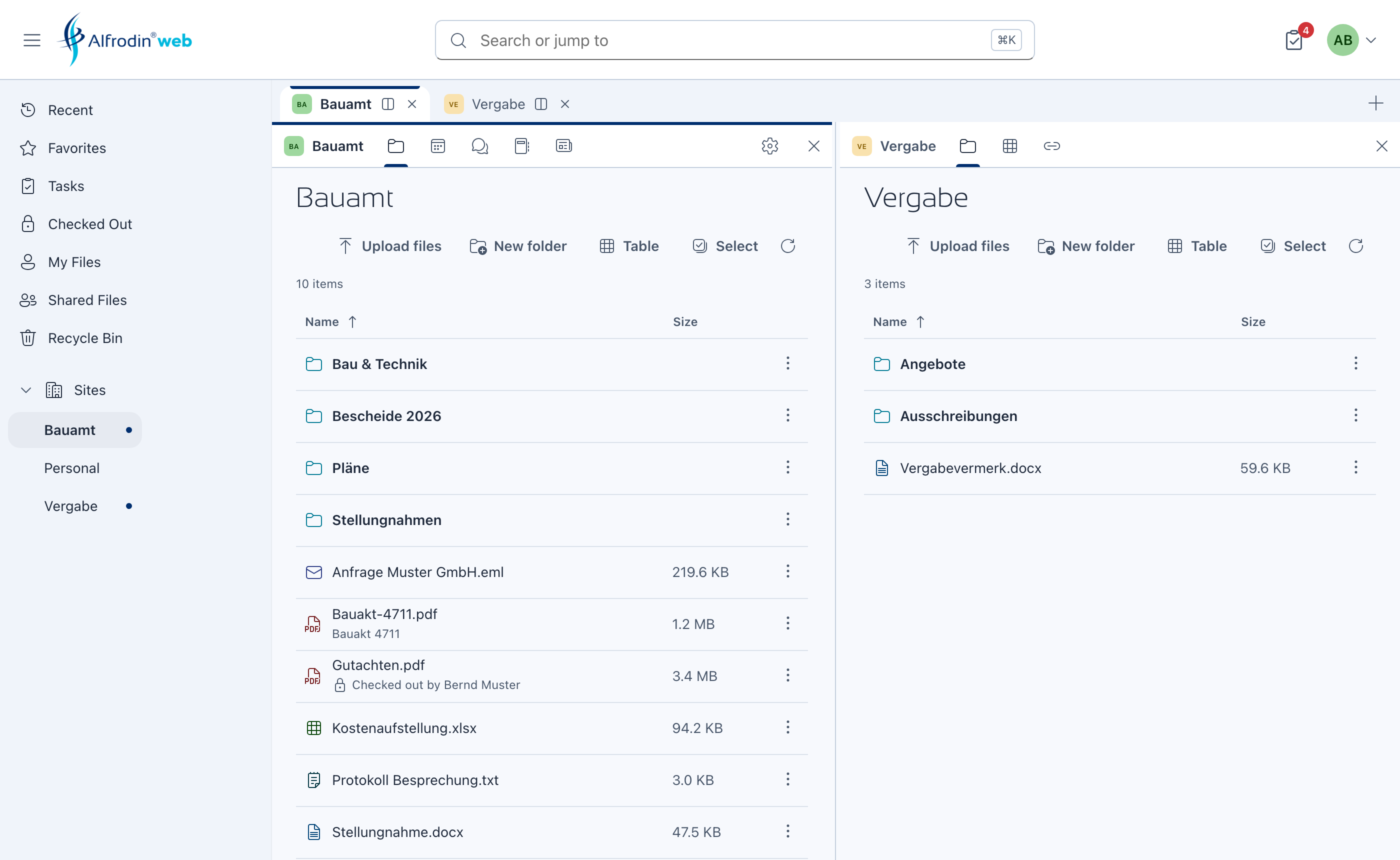
A new way of working with Alfresco sites: as tabs, side by side, with documents, search, tasks and every site module in one clear interface.
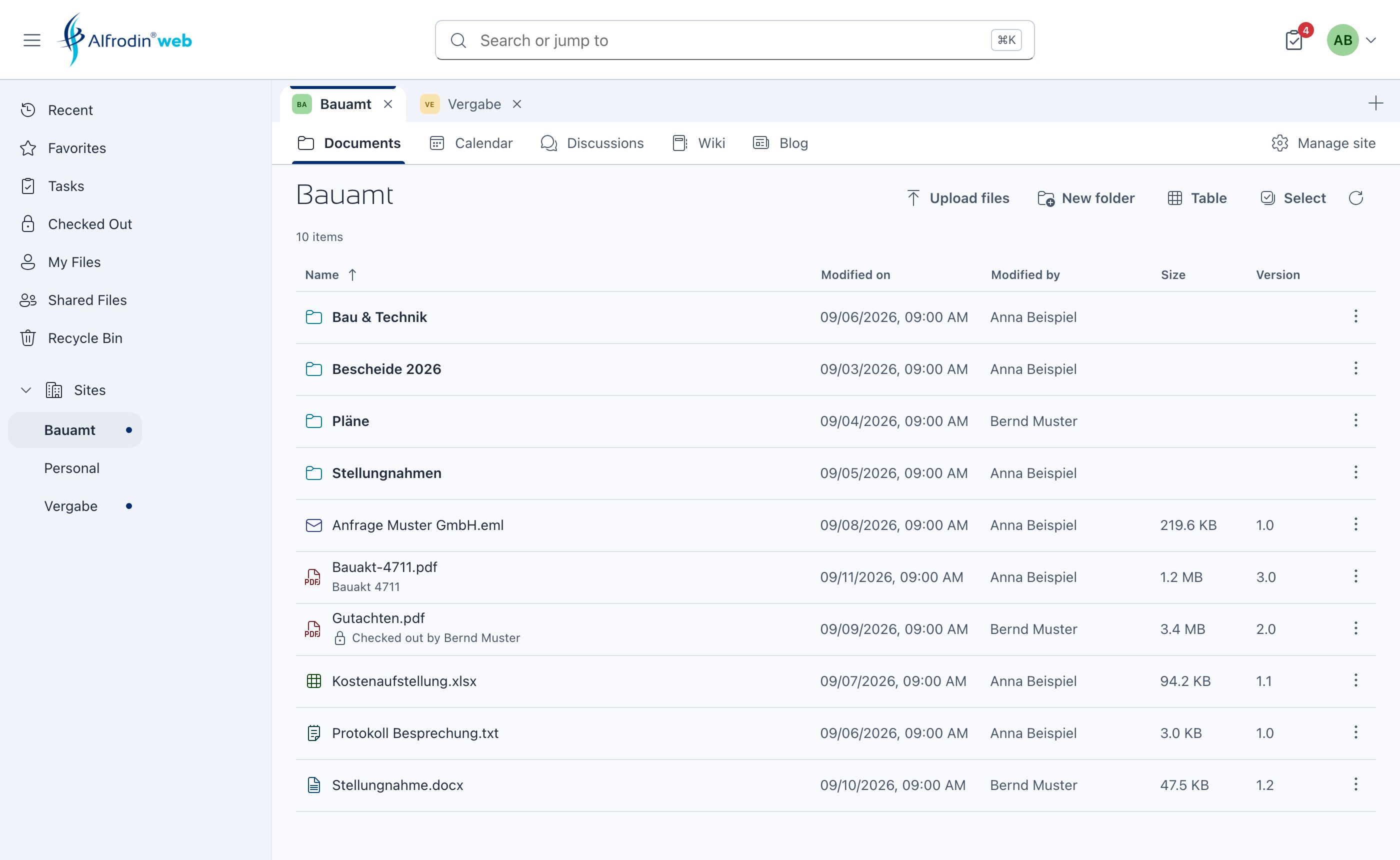
- Sites as tabs, several open side by side
- Move and copy documents between sites by dragging
- Edit files directly in Microsoft Office (Word, Excel, PowerPoint)
- Central search with filters for every need
- Wiki, blog, data lists, calendar, links, discussions
- Administration of users, groups and sites
- On desktop, tablet and smartphone
A new operating concept for Alfresco sites
Alfrodin Web opens every site as a tab and places several sites side by side. Content moves between them by dragging, just as on the desktop.
Sites as tabs
Every site opens as its own tab with its own module bar. Switching between sites takes one click, and each site stays exactly where you left it.
- Several sites open at the same time
- Location, input and scroll position are kept when you switch
- Reorder tabs by dragging
- Open tabs are remembered for your next visit
Several sites side by side
The split view shows two or more sites next to each other. Documents travel between them by dragging: moving takes one movement, copying the same with the Ctrl key, on the Mac with the Option key.
- Exchange data between sites by drag and drop
- Move and copy files and folders across sites
- Adjustable widths, the layout is remembered
Workflows at a glance
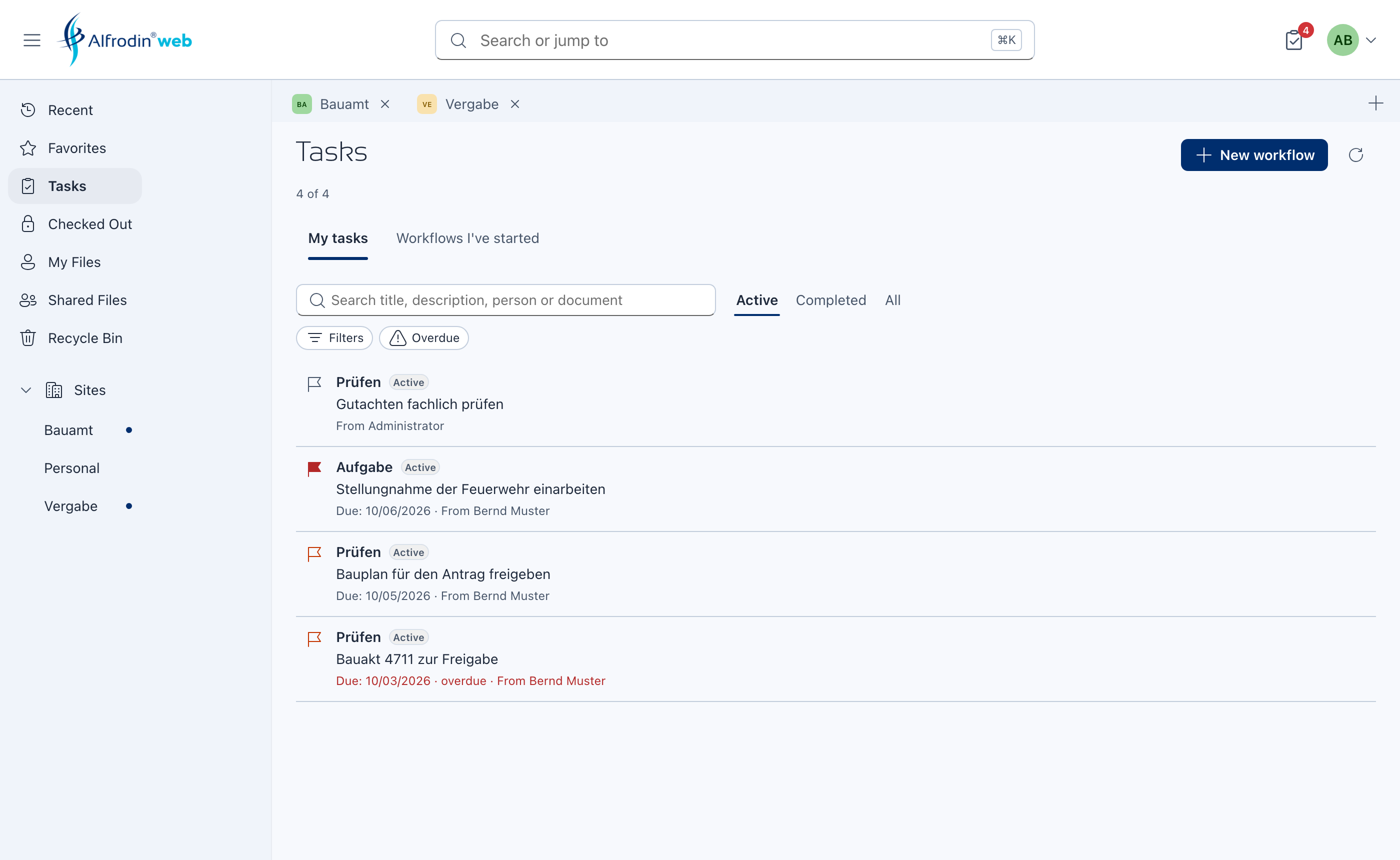
Every document shows all of its workflows, running and completed, with status and result. Tasks and started workflows can be searched and filtered, down to the attached documents.
- All workflows on a document, completed ones included, with status and result
- Search tasks by title, person or attached document
- Filter started workflows by status, type, period, priority and assignee
- Start a workflow from any file, review report as a PDF
Everything from Alfresco, in the browser
Edit in Office
One click opens a file from Alfresco in Microsoft Office (Word, Excel or PowerPoint) on your Windows or Mac computer. When you save, Office writes the changes straight back to Alfresco, and while you edit, the file is locked for others.
Documents
Upload by dragging, whole folders included; versions, check-out and check-in, share links and permissions.
Preview
A large preview with zoom, pinch gesture and full screen, with properties, versions and comments alongside.
Central search
One field for documents, places and sites, refined by site, folder, file type, modification date, size and tags.
Tasks and workflows
Review and approve, start workflows and create the review report as a PDF.
Site modules
Wiki, blog, data lists, calendar, links and discussions, each using the full width.
Administration
Create and maintain users and groups, manage sites, members and roles, with PDF reports.
Recent, favorites, trash
Recent activity with filters, favorites, checked-out documents and the trash with restore.
Sign-in
With password, OpenID Connect or Kerberos on your Alfresco server.
Seven languages
German, English, Spanish, French, Italian, Dutch and Czech, on desktop, tablet and smartphone.
See Alfrodin Web
Connected to your server, and only to it
Sign-in with an email code
Users confirm their address once with a code by email; after that the device is known.
Bound to your server
Alfrodin Web connects only to the Alfresco server registered for your license.
Your documents stay with you
Documents remain in your Alfresco. We never store them.
Three steps to Alfrodin Web
Request a trial
Enter company, name, company email address and the address of your Alfresco server.
Confirm your address
With the code from the email. You then receive your license keys.
Sign in
At web.alfrodin.com with your email address, then on your Alfresco server as usual.
Alfrodin Web costs €10 per user and month, the bundle with Alfrodin for Microsoft Office €15.
Frequently asked questions
Which browsers does Alfrodin Web support?
Current versions of Chrome, Edge, Firefox and Safari, on desktop, tablet and smartphone. No installation is required.
Does Alfrodin Web cover all functions of Alfresco Share?
Alfrodin Web covers the most important functions you need for your daily work with documents and workflows, including documents with versions, check-out, permissions and “Edit in Office”, all site modules, member management, tasks and workflows, search and trash. It adds functions of its own, such as sites as tabs, several sites side by side and completed workflows on the document. Special administration tasks such as aspects, type changes, folder rules, the Node Browser or the Model Manager are done in Share; both work with the same Alfresco and can be used side by side.
What does my Alfresco server need?
Alfrodin Web works with the REST interfaces of Alfresco. For a direct connection your IT can allow CORS for web.alfrodin.com; without it, Alfrodin Web connects through our service, which passes data through encrypted and stores nothing.
Can I use Alfrodin Web together with the add-in?
Yes. The bundle covers Alfrodin for Microsoft Office and Alfrodin Web for the same users, with the same sites, permissions and terms in both.
How does the trial work?
You request it on this website and confirm your company email address with a code. The trial runs for 30 days with three seats and ends automatically; no payment details are required.
Test free of charge for 30 days
A trial for your team with three seats, for Alfrodin Web, Alfrodin for Microsoft Office or both. No payment details required; it ends automatically.
Request a trial